Standard
v4.0.03.0922.02, about 62 MB, Android 5.0+
Movies, TV shows, web series, anime, K-dramas, live sports and music are brought together in one place by MovieBox APK v4.0, a free streaming app for Android. The latest version (v4.0.03, ~62 MB) can be downloaded below and installed on your phone, tablet, Android TV or Firestick in just a few minutes — no account or sign-up is required.
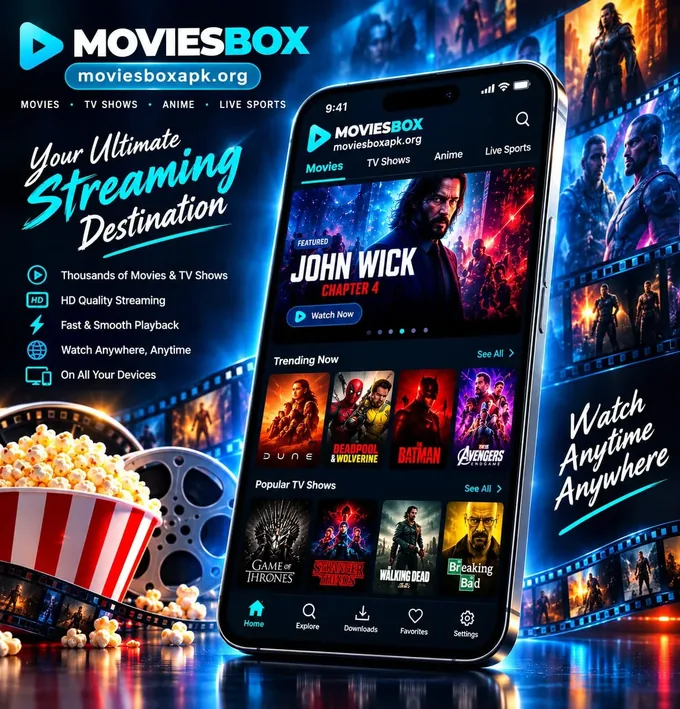
MovieBox is a free Android app for streaming movies, TV shows, anime, live sports and more — all in one place, without a subscription. It pulls streams from third-party servers, so you will find new releases, old classics, K-dramas and live matches side by side, with subtitles in dozens of languages and quality up to 4K where the source allows it. There is no official app store listing: you install it by sideloading the APK, and there is no account to create. This site is an independent guide — we are not the developers, and we do not sell the app. What we do is check every build ourselves, tell you exactly which version is current, and warn you where the copies and scams are.
Key details for the current MovieBox APK release.
| Latest version | v4.0.03 |
|---|---|
| Standard build | v4.0.03.0922.02, about 62 MB |
| TV MOD build | v4.0.03.0930.05, about 90.48 MB |
| Requires | Android 5.0 or newer |
| Latest check | Re-checked 14 Nov 2026: v4.0.03 is still the latest release on the official GitHub (released 19 Oct 2026). |
Two builds, both checked by us. The Standard build runs on phones and tablets; the TV MOD build is tuned for Android TV and Firestick. Both are the same version, v4.0.03 — grab the one that matches your screen.
v4.0.03.0922.02, about 62 MB, Android 5.0+
v4.0.03.0930.05, about 90.48 MB, Android TV / Firestick
Before installing: download only from our download page, never from a random site; check the version number matches v4.0.03; and make sure unknown sources are turned on for your browser first — the install fails without it.
MovieBox APK bundles everything you need for effortless movie nights into one lightweight app. Browse a massive catalog with ease, tune the picture to your connection, follow along in your own language, and enjoy a clean player that stays out of your way.
Skip the stack of monthly subscriptions. MovieBox opens the door to thousands of films, TV series, web shows, live sports and more without asking for a dime. Launch the app, tap a title that catches your eye, and press play — the entire catalog stays free, with zero surprise charges.
Blurry streams ruin a good movie. Whenever the source allows it, MovieBox serves quality tiers from 480p up through HD, Full HD, UHD and crisp 4K. Got speedy Wi-Fi? Savor every detail. Stuck on shaky mobile data? Drop to a lighter tier and keep watching without the stutter — on phones, tablets and smart TVs alike.
Nothing kills a climax like a pop-up storm. MovieBox keeps the spotlight on your video with a tidy player and straightforward on-screen controls. A heads-up: ad behavior can vary between builds, so check what your installed version does before settling in.
Press play and you're watching — no endless spinning wheels. Behind the scenes, MovieBox pulls from several servers at once, so if one lags you can hop to another in seconds. Pair that with a steady connection and your stream glides; pause anytime and pick up exactly where you left off.
No need to hunt down a separate player — MovieBox ships with its own. The built-in player covers all the essentials: pause and resume, skip forward and back, pinch to zoom, volume tweaks, full-screen viewing and adjustable playback speed.
Heading somewhere with no signal? Stash movies and episodes on your device and watch them anywhere. Pick a quality that fits your free space, grab files over Wi-Fi to spare your mobile data, and clear out old downloads whenever you need room.
Love foreign films but don't speak the language? Subtitles and alternate audio tracks have you covered. Flip between available dubs or pick subtitles in the language you're most comfortable with — the exact choices depend on the title and its source.
Stop scrolling endlessly. Type a movie, show or actor into the search bar and get pinpoint results in seconds. Narrow things down by genre, or sort by year, language or rating where supported — trending rows and tidy categories do the rest of the work for you.
Spot something good but short on time? Bookmark it. Your watchlist keeps every saved title in one tidy shelf, so your next movie night is one tap away — no repeat searching required.
Life interrupts — your show shouldn't have to. MovieBox remembers exactly where you paused, across movies and episodes, and your history keeps a trail of everything you've watched. (Feature availability can differ slightly between app versions.)
Easy on the eyes, day or night. Go dark for late-night binges that won't blind you, or switch to the bright theme when you're browsing in daylight. Theme options can vary a bit from one version to the next.
The more you watch, the smarter it gets. MovieBox studies your viewing habits and surfaces films and series you'll probably love — a personal scout for your next obsession.
Your screen, your choice. MovieBox runs on Android phones and tablets, iPhones, PCs, Fire TV Stick and smart TVs — and with Chromecast plus screen casting built in, flinging a movie from your phone to the big screen takes seconds.
The catalog never goes stale. Fresh movies, series and new episodes land on a regular basis, while behind-the-scenes updates squash bugs and polish performance so everything runs smoother over time.
Several servers are pulled from at once for every title. If one source slows down or goes offline, you are switched to another automatically by the app — your movie keeps playing without a finger being lifted by you.
Not sure what to watch? A quick trailer can be played first. Trailers are refreshed with every new release, so a movie can be judged by more than its poster before two hours are committed to it.
A ping is delivered the moment a new episode or movie lands. Alerts can be turned on for the shows you follow so a season premiere is never missed again.
One app, six-plus worlds of entertainment. Here's a tour of everything waiting inside the MovieBox library.
From black-and-white classics to this week's blockbusters, the movie shelf spans every era and genre. Craving car chases, tearjerkers, laugh-out-loud comedies or late-night horror? Your mood, matched in seconds.
Binge entire seasons without the cliffhanger wait. Hit Western series and addictive K-dramas sit neatly arranged by season and episode, ready for your next marathon.
Dive into beloved anime sagas or cue up cartoons the little ones will love — every title comes with subtitle options in your preferred language.
A safe, walled-off zone built for young viewers: cheerful cartoons plus videos that teach, all separated from grown-up content so kids can explore freely.
Press play on crisp HD music videos and soundtracks spanning Bollywood beats, Hollywood hits and Afrobeats grooves — a full jukebox tucked inside the app.
Sitcoms, crime sagas, reality marathons — every series arrives sorted by season and episode and refreshed daily, so there's always a new episode with your name on it.
MovieBox speaks your language — literally. Beyond English, dedicated editions such as MovieBox Français deliver fully translated menus, search and subtitles for a truly local feel.
Short films, mini-series and web series are delivered in bite-size episodes, updated frequently.
Trending Netflix series, originals and award-winners are collected in a single hub, refreshed whenever new seasons drop.
Prime Video hits and global originals are presented in HD, with the list updated weekly as new Prime titles arrive.
Animation, Marvel and Star Wars titles can be enjoyed by the whole family — smooth streaming is delivered even on moderate connections.
Top American dramas and thrillers are featured, with new episodes added as seasons air and subtitles kept ready on every title.
Cinematic series and films — from Game of Thrones to The Last of Us — are shown with sharp playback and smooth transitions.
Three names, three different things — and mixing them up is how people end up with the wrong app. The standard MovieBox is the free app this site covers. 'Pro' and 'MOD' builds are the same app changed by third parties, usually promising unlocked extras or fewer ads — they do not come from the developers, and nobody can vouch for what was changed inside them. Then there is 'Movie Box' in the Play Store and App Store — a different app entirely, made by a different company, with its own catalog. It is not MovieBox, and installing it will not give you MovieBox.
| Version | What it is | Where to get it | Price |
|---|---|---|---|
| Standard MovieBox (v4.0.03) | The free app — this site's guides cover it | Our download page | Free |
| MovieBox Pro / MOD | Same app, modified by third parties, 'unlocked' extras promised | Third-party sites only | 'Free' — unofficial; paid unlock codes sold online are a scam pattern |
| 'Movie Box' in app stores | A different app by a different developer | Play Store / App Store | Free, with its own catalog |
Our premium guide explains what 'premium unlock' actually means, and the mod guide covers the risks of modified builds.
Less than three minutes is all it takes. Exactly what to do is explained here:
Because MovieBox lives outside the Play Store, Android needs your OK first. Head to Settings → Security & Privacy and flip on "Install Unknown Apps" (some phones label it "Unknown Sources"). Lost in the menus? Just type "Unknown Sources" into the Settings search bar and it'll pop right up.
Your browser should be opened, the download page on this site should be visited, and the Download button should be tapped. The file will start downloading right away.
When the download finishes, open your Downloads folder and tap the APK file, then hit Install. If Android asks for permissions along the way, approve them — that's completely normal for sideloaded apps.
Open should be tapped when it's done. That's it — no login, no sign-up. Watching can be started.
Downloading should be done from this site's download page — malware is sometimes bundled into fake copies by random websites. At least 500 MB of free space should be available so the install doesn't fail halfway. If the install is blocked by your phone, double-check that "Install Unknown Apps" has been turned on for your browser.
Installed? How to find and play your first movie in under two minutes is covered below.
The MovieBox icon should be tapped. No login, no sign-up — your library is made ready immediately.
Movies, TV Shows, Anime, Sports and Live TV can be explored from the home screen or category tabs.
Any title, actor or genre can be typed in the search bar for instant, accurate results.
A title should be opened, your quality should be chosen from 480p to 4K, and Play should be tapped. If a server buffers, another source should be switched to.
Subtitles can be enabled from the player and picked from 30+ languages, or audio tracks can be switched where available.
Download should be tapped under any title, your quality should be chosen, and it can be found later in the Downloads section.
Titles can be added to your watchlist, favorites can be marked with the heart icon, and picks can be shared with friends.
Downloads and storage: free downloads in the v4.0 builds run on a points system — each download costs points, and the allowance refills daily. If a download stops, check your points balance first, then your free space. Our download-limit guide explains the allowance in detail.
MovieBox runs on more than phones. Pick your screen — every guide below is written for that device, with the exact steps that work on it.
| Operating System | Android 5.0 or higher |
|---|---|
| RAM | 2 GB minimum (4 GB recommended) |
| Storage | 500 MB free (1 GB+ for downloads) |
| Internet | 4 Mbps or faster for HD |
| Operating System | Windows 10 or later |
|---|---|
| RAM | 4 GB minimum |
| Storage | 2 GB free space |
| Extra | Android emulator required |
Most days MovieBox just works — but tech hiccups happen. Below are the seven glitches users bump into most, with quick fixes for each.
| Problem | Quick fix |
|---|---|
| APK Not Installing | Allow unknown sources for your browser or file manager, then run the installer again. |
| Video Not Playing | Check your connection, switch to Wi-Fi, or try another server. |
| App Keeps Crashing | Restart your phone and clear the app cache; reinstall a fresh copy if it continues. |
| Buffering / Slow Streaming | Close background apps, clear the cache, or drop the quality a notch. |
| Downloads Not Working | Free up storage, check the app's storage permission, then try again. |
| Subtitles Not Showing | Turn subtitles on in player settings; try a different track. |
| App Not Opening | Restart your phone and wipe the app cache; reinstall from a trusted source if it still won't launch. |
Full fixes for each problem: our not-working guide.
Why it happens: Your phone is probably blocking installs from outside the Play Store — Android does this by default.
How to fix it: Open Settings, grant your browser or file manager permission to install unknown apps, then run the installer again.
Why it happens: Either your connection is crawling or the particular video server is having a bad day.
How to fix it: Test your connection, hop onto Wi-Fi if you can, or give the video another shot in a few minutes.
Why it happens: You're likely running an old build, or a temporary glitch has crept in.
How to fix it: Restart your phone and clear the app's cache. Still crashing? Reinstall a fresh copy from a source you trust.
Why it happens: A weak signal — or a crowd of background apps hogging bandwidth — is usually the culprit.
How to fix it: Close apps you're not using, clear the cache, or drop the video quality a notch for buttery playback.
Why it happens: Your storage might be full, or the app never got permission to save files.
How to fix it: Free up some space, double-check the app's storage permission in Settings, then try the download again.
Why it happens: That particular video or server simply may not carry subtitles.
How to fix it: Open the player settings and switch subtitles on. If nothing shows, try a different subtitle track from the list.
Why it happens: The APK file could be corrupted, or that build might not play nice with your device.
How to fix it: Restart your phone and wipe the app cache. If it still won't launch, reinstall a compatible version from a trusted source.
Short answer: it is a piracy app, and you should know that before you install it. MovieBox streams movies and shows without licenses, and in September 2026 the MPA and Canal+ reported it to the European Commission for their piracy watch list; Nigeria suspended the moviebox.ng domain in 2025. No published security test of the MovieBox app itself exists — nobody can honestly tell you it is clean or that it carries malware. What you can control is where the file comes from: download only from a source you trust, scan the APK before installing, and check the permissions it asks for. Our safety guide has the full breakdown, with sources.
Four mistakes new users keep making. One: downloading the APK from a random site — fake copies bundle malware. Two: running a 'MovieBox.exe' on a PC — no official desktop app exists, so any .exe is fake. Three: paying a stranger for a 'premium unlock' code — there is no official code to buy. Four: trusting a '100% safe' or 'virus-scanned' badge on a download site — nobody ran that scan for you.
Highlights of the latest version.
Prefer the official route? These licensed services stream movies and shows 100% legally. They charge a subscription, but you get rock-solid reliability and fully licensed catalogs in return.
Home to acclaimed originals, binge-worthy series, documentaries and films — all in polished high definition.
The go-to for animation, family blockbusters and exclusive originals, though most of it sits behind a subscription.
A sprawling mix of films and series with multi-language audio and subtitles, including fresh new releases.
A winner for sports lovers — cricket and football front and center — alongside movies, shows and web series; some content needs a subscription.
These options cost nothing too — just exercise caution and grab them from reputable sources.
A no-frills app for movies and dramas that's genuinely easy to navigate — and completely free.
Free HD movie streaming in a tidy package; just make sure you download it from a safe source.
A sports-first app serving live streams, live scores and match updates for fans on the go.
Straightforward streaming of movies and shows wrapped in a layout anyone can browse.
A single hub where you can dig through a solid lineup of movies and TV shows.
Another route to movies and series, pairing a clean interface with HD playback where supported.
A long-standing name in free streaming that many users still keep as a backup option.
An honest side-by-side look at how paid platforms are differed from by a free third-party app.
| App Type | MovieBox: a free third-party app · Official apps: licensed platforms |
|---|---|
| Availability | MovieBox: sideloaded APK, not on the Play Store · Official apps: Play Store / App Store |
| Registration | MovieBox: none required · Official apps: account needed |
| Pricing | MovieBox: free of charge · Official apps: monthly subscription |
| Content Source | MovieBox: streams from third parties · Official apps: licensed catalogs |
| Customization | MovieBox: theme and UI options · Official apps: limited options |
If you want the biggest free catalog and you are comfortable sideloading, yes — for most people it still is. The library is huge, the player is good, and the v4.0 builds work well on phones, TVs and Firestick. But go in with your eyes open: streams are unlicensed, there is no official support when something breaks, and free downloads are rationed through a points system. If you would rather pay for peace of mind, Netflix, Disney+ and Prime Video are the licensed route — and our alternatives page lists the free ones too. Either way, download from a source you trust.